Agrimaster provides you with a system for tracking the annual licensing fees for your vehicles and property. Tracks the months and fees for road registered vehicles, trailers and equipment.
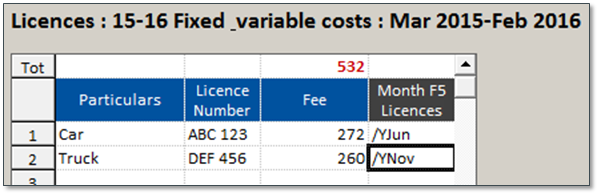
|
1. Particulars |
|
Type a name that describes the vehicle or property |
|
2. License Number |
|
Type the identifying number for the vehicle or property |
|
3. Fee |
|
Type the dollar amount for the total licensing fee |
|
4. Month F5 |
|
Press F5 and choose · How often the licensing payments are made in a year · The month(s) the licensing fees is paid · The Cost Code and Bank Account for the payment |
F5 Enter an Annual Payment
1. Click in the Month F5 box after Fee
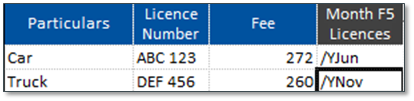
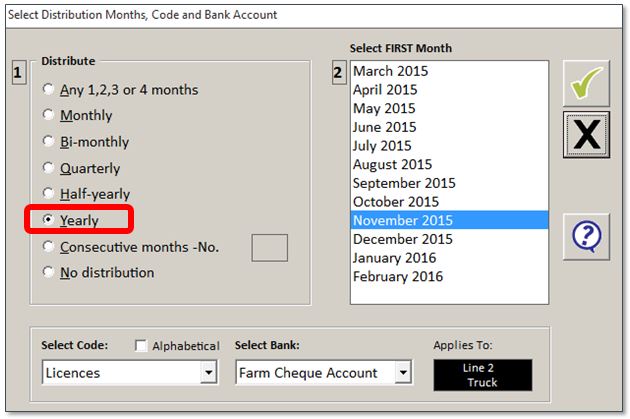
2. Press F5 and select the following:
· Distribute – select Yearly
· First Month – click on the month to pay the licensing fees
· Select Code – choose Licenses
· Select Bank – choose the Bank Account used to pay for the licenses

3.  Click on the green tick to OK the selections
4.  After all data is entered, click on the green tick again tosave the Worksheets
Comments
0 comments
Article is closed for comments.