Amalgamating budgets allows you to take two full budgets and combine them into one full budget to get a total budget.
You may wish to have two separate properties and budget for them separately but are required to provide a combined budget to present to the bank.
You must have at least two full budgets on file in order to amalgamate them.
To amalgamate budgets:
- Select Budget.

- Select Full Budget.

- Select Amalgamate Budgets

- Select the two budgets that you wish to amalgamate by highlighting the budget names in the
left-hand box. - Type in a name for the amalgamated budget in the top right-hand box.
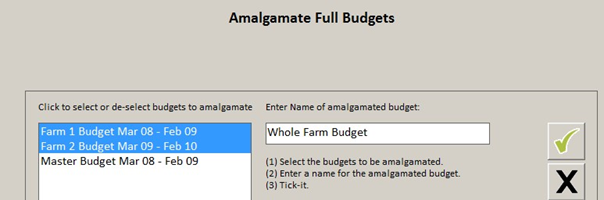
- Click the green tick.
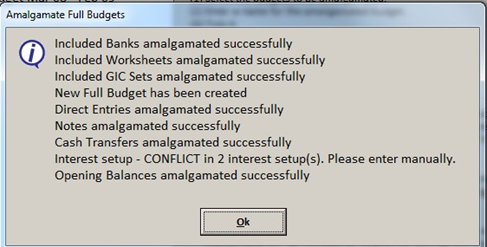
- Once the amalgamation is finished you will see the following message box, click on Ok.
- The new amalgamated budget will be displayed on the screen.
- If any conflicts occurred you will need to fix these.
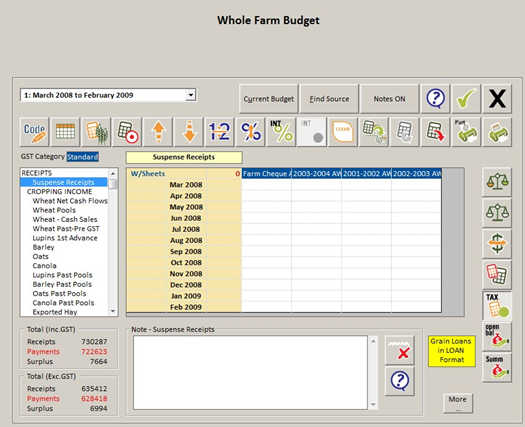
- To display the two budgets amalgamated into one budget, click on the printer icon.

Comments
0 comments
Article is closed for comments.