To rename your worksheets after copying your full budget:
- Click Budget.

- Click Full Budget.

- Click Worksheet.

- Click Copy or Rename.

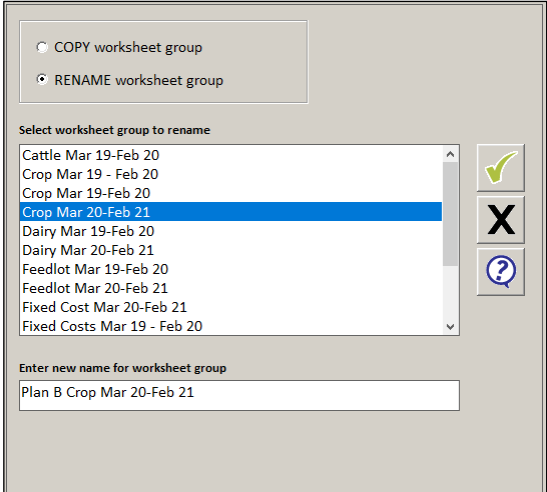
- Select the Rename Worksheet Group option.
- Select the worksheet that you want to rename.
- Enter a new name for the copied worksheet so you can distinguish between the old and the new worksheets.
- Click the green tick.
- Repeat for each worksheet.
Comments
0 comments
Article is closed for comments.