A classification can only be deleted if it has not been used as an asset detail.
To Delete A Classification
- From the Home Page, click Assets & Stock.
- Click Asset Register.
- The Asset Register window will open.
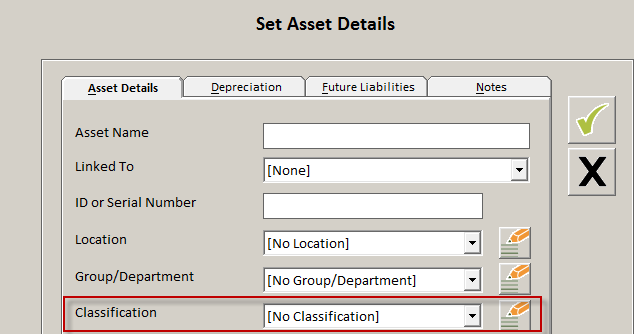
- Click the Edit button to open the Set Asset Details window.
- Click the classification Edit button to open the Asset List window.
- Display the classification to remove in the Choose Classification to Modify dropdown.
- Click the Delete button to remove the entry.

- Click the green tick to save the changes.
- Click the black cross to exist and return to the Set Asset Details window.
Comments
0 comments
Article is closed for comments.