You could use this function if you are creating a Quick Budget for the first time and would like to use last year’s figures as the basis for this year’s budget. This is done using the import cashbook feature.
Note: If you use this feature with an existing budget, it will overwrite any pre-existing values in the budget.
- Click the Import from Cashbook button

- The following dialogue box will be displayed. Tick the box in the Shift Forward section
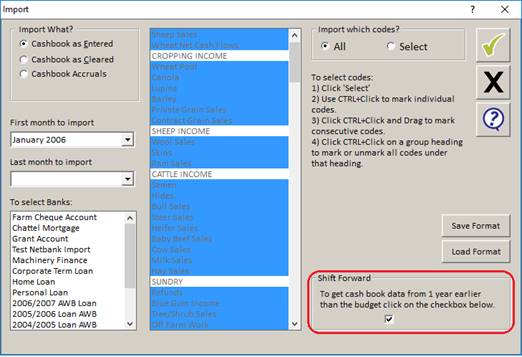
- Select the dates you require in First month to import & Last Month to import
- Chose the required bank account(s)
- Click the green tick
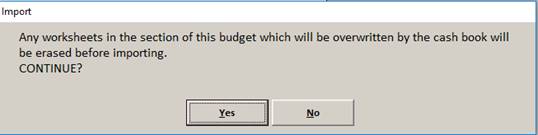
- You will be asked if you wish to erase data. Click Yes
- Your new budget will appear like this with the grey shaded area ‘locked’. You can unlock the budget by removing the CB Lock tick at the top right-hand corner of the screen
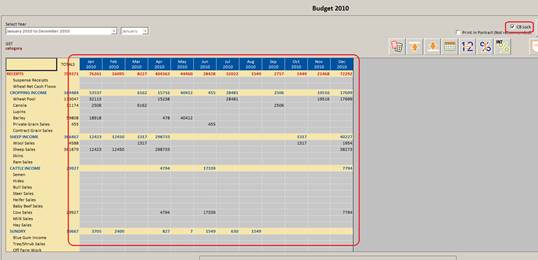
- You can now enter data & edit the figures from last year.
Comments
0 comments
Please sign in to leave a comment.